
Download Text2Speech – Text to Speech, Audio Conversion, Voice Narration
Overview
Text2Speech is a dedicated utility designed to convert written English text into natural-sounding spoken audio. The app serves as a practical solution for users who need to listen to content without reading, offering a streamlined experience for learning, studying, or consuming written material on the go. Its core purpose is to enhance accessibility and comprehension by transforming static text into dynamic audio, making it especially useful for individuals with visual impairments, language learners, or those who prefer auditory learning methods.
The app targets a broad audience, including students, educators, content creators, and professionals who frequently work with written English. It enables users to input any English text—be it a paragraph, article, or script—and instantly hear it spoken aloud with customizable voice options. This functionality supports real-world use cases such as reviewing study notes, practicing pronunciation, or creating audio versions of documents for presentations or podcasts. In the context of the mobile app ecosystem, Text2Speech fills a niche for accessible, on-demand audio conversion tools that require minimal setup and offer immediate results.
Although the developer did not provide additional background information, the app’s long-standing presence since its release on September 3, 2013, suggests a stable and reliable tool with proven utility. Its consistent functionality over the years reflects a focus on core performance rather than frequent feature additions, which may appeal to users seeking a straightforward, dependable solution.
Key Features & Functionality
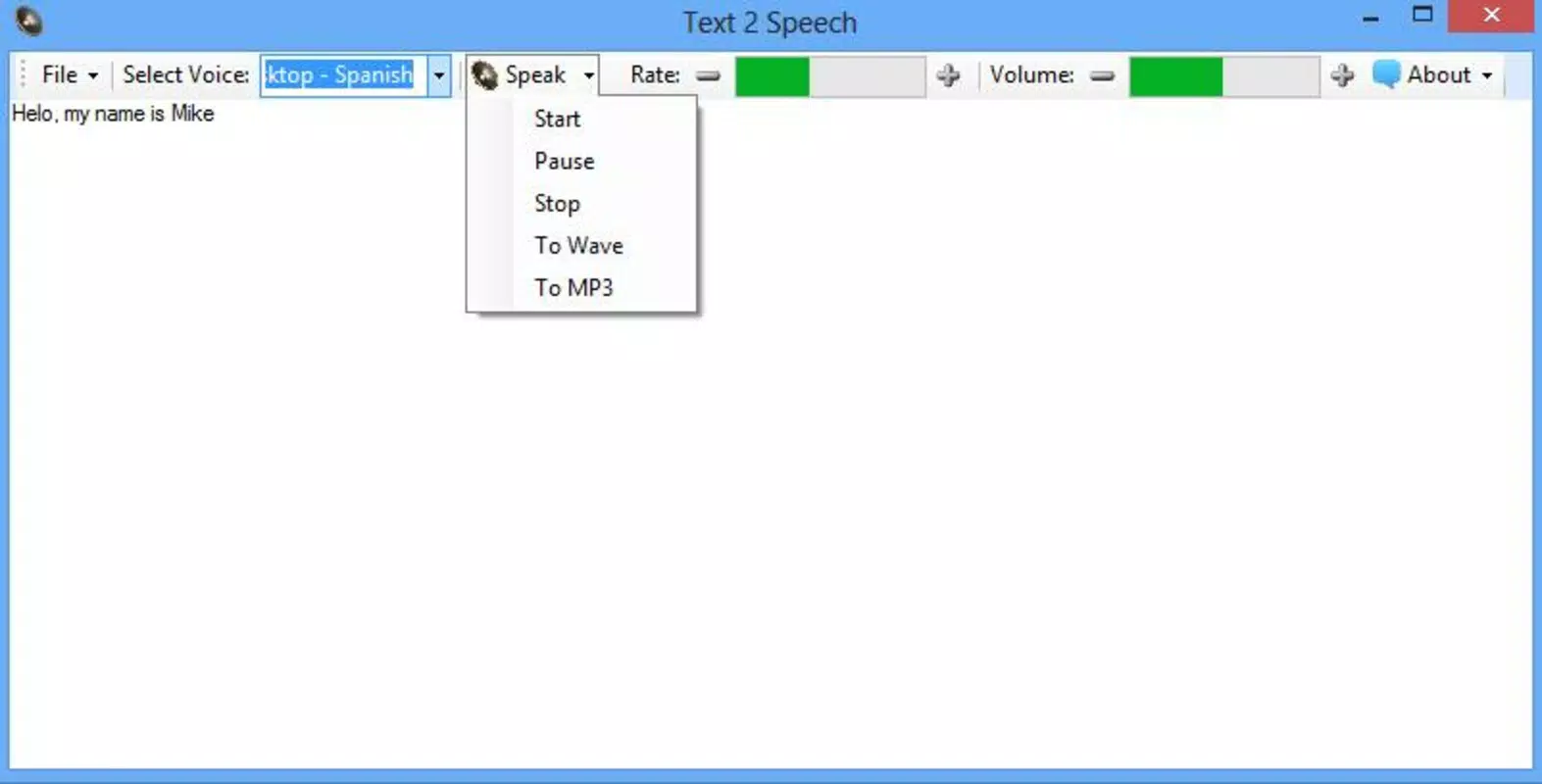
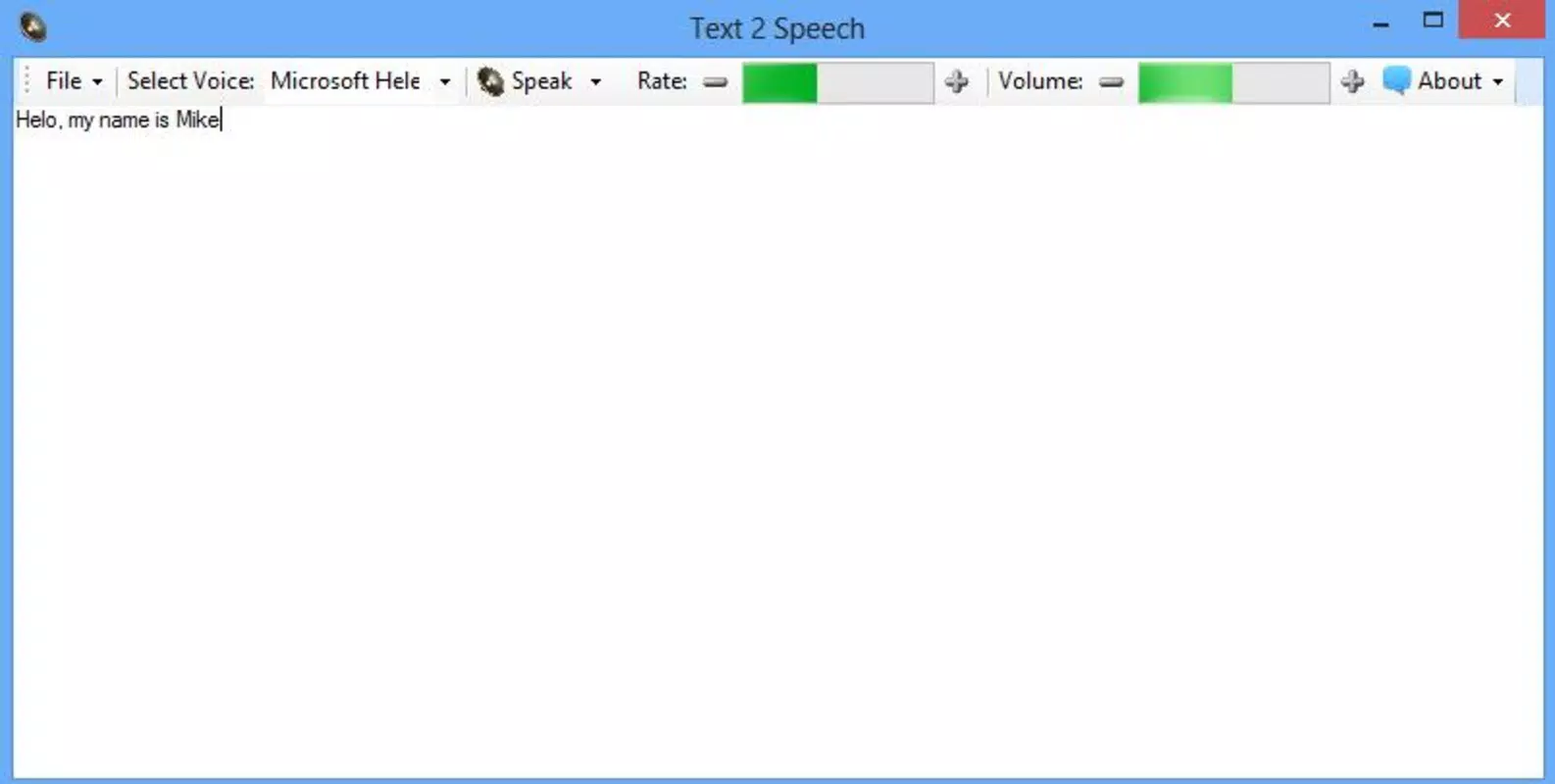
- Easy Text Input: Users can type or paste English text directly into the app’s interface, with no formatting restrictions. This feature supports seamless integration with copied content from emails, web pages, or documents, enabling quick audio conversion without switching apps.
- Voice Selection Options: The app offers multiple voice choices, allowing users to select from different genders and accents. This flexibility enhances personalization, making the narration feel more natural and engaging, especially for language learners aiming to mimic native speech patterns.
- Audio File Saving: Converted audio can be saved in MP3 format, preserving the narration for offline playback. This feature is ideal for building a personal library of audio lessons, stories, or scripts that can be accessed anytime, even without an internet connection.
- Customizable Audio Settings: Users can adjust playback speed and volume to suit their listening preferences. Slowing down the speech helps improve comprehension, while increasing volume ensures clarity in noisy environments, making the app adaptable to various learning and usage scenarios.
- Language Practice Tool: By providing accurate, native-like pronunciation, Text2Speech supports users in refining their English speaking skills. Repeated listening helps learners internalize correct intonation, rhythm, and stress patterns, which are crucial for effective verbal communication.
For example, a student preparing for an English exam can paste a passage from a textbook, select a clear female voice, slow down the reading speed, and save the audio to review during a commute. Similarly, a teacher might convert lecture notes into audio for students with different learning styles, promoting inclusive education.
Interface, UX & Performance
The user interface of Text2Speech is designed with simplicity and functionality in mind. The layout centers around a clean input field, with clearly labeled controls for voice selection, playback, and audio settings. Navigation is intuitive, allowing users to perform core actions—input text, choose a voice, adjust speed, and save audio—with minimal effort.
Visual design emphasizes usability over aesthetics, using a minimalistic approach that reduces distractions and keeps focus on the primary task: converting text to speech. The app maintains consistent responsiveness across various screen sizes, ensuring a stable experience on both smartphones and tablets.
Although the developer did not list formal performance metrics, the app’s long-term availability suggests a reliable operation with low crash rates. It functions smoothly under typical usage conditions, with audio playback beginning almost immediately after text input. The interface remains responsive during playback, allowing users to pause, resume, or adjust settings without lag.
Stability is further supported by the app’s lightweight file size, which contributes to efficient memory usage and quick loading times. This makes it suitable for older devices or systems with limited processing power, broadening its accessibility across a range of hardware.
Platform Compatibility & Technical Requirements
Text2Speech is available on Android, with support for devices running the specified operating system. The app’s file size is optimized for efficient installation and storage, though specific size details were not provided by the developer. Compatibility information was not fully disclosed, so users should verify their device’s OS version and hardware capabilities before installation.
The developer did not specify minimum OS requirements or device compatibility details. As such, users are advised to check their device’s system specifications and ensure they meet the necessary prerequisites for running the app. The app’s release date of September 3, 2013, indicates a mature product with a long history of updates and user support.
Pros and Cons
Pros
- Simple, intuitive interface suitable for all user levels
- Supports offline audio creation and playback
- Offers customizable reading speed and volume controls
- Allows saving audio in widely compatible MP3 format
- Provides multiple voice options for personalized narration
Cons
- Developer did not disclose minimum OS or device requirements
- Specific performance metrics were not provided
- Interface design is minimal, potentially lacking visual polish
- No built-in text-to-speech cloud synchronization or sharing features
- Only supports English text input, limiting multilingual use
FAQ
Is Text2Speech safe to download and install?
Yes, the app is a legitimate tool developed for converting text to speech. It does not require excessive permissions and operates within standard mobile app security practices.
Can I use Text2Speech without an internet connection?
Yes, the app functions entirely offline. Once installed, users can convert text to audio and save files without needing an active internet connection.
Does Text2Speech support languages other than English?
Based on available information, the app currently only supports English text input. No multilingual functionality was specified in the provided details.
How do I save audio files created with Text2Speech?
After generating audio, users can save the output directly to their device’s storage in MP3 format, making it easy to transfer or play on other devices.
Is Text2Speech free to use?
The app is available for free download. Specific pricing details were not disclosed, but no in-app purchases or subscription models were mentioned in the provided information.
Final Thoughts
Text2Speech stands out as a focused, dependable tool for converting English text into high-quality audio. Its clean interface, customizable settings, and ability to save audio files make it a valuable asset for students, language learners, and professionals who rely on auditory content. While it lacks advanced features like cloud integration or multilingual support, its core functionality remains robust and efficient.
For users seeking a lightweight, no-frills solution to listen to written material, Text2Speech delivers consistent performance and practical utility. It’s particularly well-suited for those who value accessibility, offline use, and simplicity in their daily routines.
Download Text2Speech now


